Best Kanban Board Software 2026

Last updated:
May 2026
Advertiser Disclosure
Kanban

Best Kanban Board Software 2026: Tested and Reviewed by trusted-Experts

Maximize your team’s productivity. Find the perfect project management software for your needs, backed by our comprehensive comparison.

Maximilian Reichlin

trusted-expert for digital services

Our expert, award-winning staff selects the products we cover and rigorously researches and tests our top picks. If you buy through our links, we may get a commission.

Award-Winner: trusted Top Picks

Award-Winner 2026
monday.com

monday.com

4.5

(47K)

9.4
Excellent
01/2026
  • Pros
  • Cons
  • Suitable for all PM methodologies
  • Versatile display options
  • Fully customizable down to the last detail
  • Time-saving templates
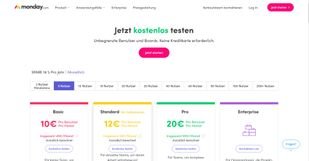
monday.com bietet die vier Tarife: “Basic”, “Standard”, “Pro” und “Enterprise”
monday.com zahlt Ihnen in der ersten Woche bis zu 50€ für die Werbung neuer User
Ein Standard-Board in monday.com
monday.com bietet drei Board-Typen: Normal, teilbar und privat.
Über das Spalten-Center lassen sich Ihre Projektboards für Ihre Bedürfnisse erweitern
Dank anpassbarer Spalten stehen Ihnen eine Vielzahl an Funktionen zur Verfügung

monday.com shines in our review as a highly flexible "Work OS." Its standout USP is extreme visual customizability, allowing teams to build and map virtually any workflow imaginable. Instead of rigid structures, the platform offers a vibrant, intuitive interface that feels like a digital building-block system. This approach doesn’t just make project work clearer—it makes it engaging.

Key highlights include powerful automations that eliminate repetitive tasks and top-tier dashboard capabilities for real-time KPI reporting. What truly sets it apart is the variety of dynamic views (Kanban, Gantt, Calendar, Table) and the seamless integration of third-party apps, turning monday.com into the central hub for your daily operations.

We recommend monday.com for teams of all sizes looking for a centralized, scalable solution. It’s a perfect fit for departments like Marketing, HR, or Sales that need to map specific processes beyond traditional project management. If you prioritize user experience, visual clarity, and maximum flexibility, monday.com is your top choice.

ClickUp

ClickUp

3.8

(29K)

9.2
Excellent
01/2024
  • Pros
  • Cons
  • Multiple project views
  • Comprehensive onboarding
  • 100% free plan
  • Fully GDPR-compliant

ClickUp stands out as one of the most flexible and comprehensive project management solutions on the market. Its greatest strength lies in its unmatched customizability: from custom fields and dozens of dynamic views (Boards, Lists, Gantt, Calendars) to deeply nested task hierarchies. It centralizes tasks, documents, goals, and team communication in one single location.

The platform’s clear USP is its "All-in-One" philosophy—ClickUp aims to be the only tool your company needs to stay productive. Standout features include native "Docs" for knowledge bases, "Whiteboards" for creative brainstorming, and a dedicated Goal Tracking module (OKRs)—functionalities that usually require multiple separate subscriptions.

We recommend ClickUp for teams that have outgrown simpler tools and are looking for a highly customizable command center. Positioned as a true "Work OS," it scales perfectly from small agencies to large enterprises needing to map complex, cross-departmental processes.